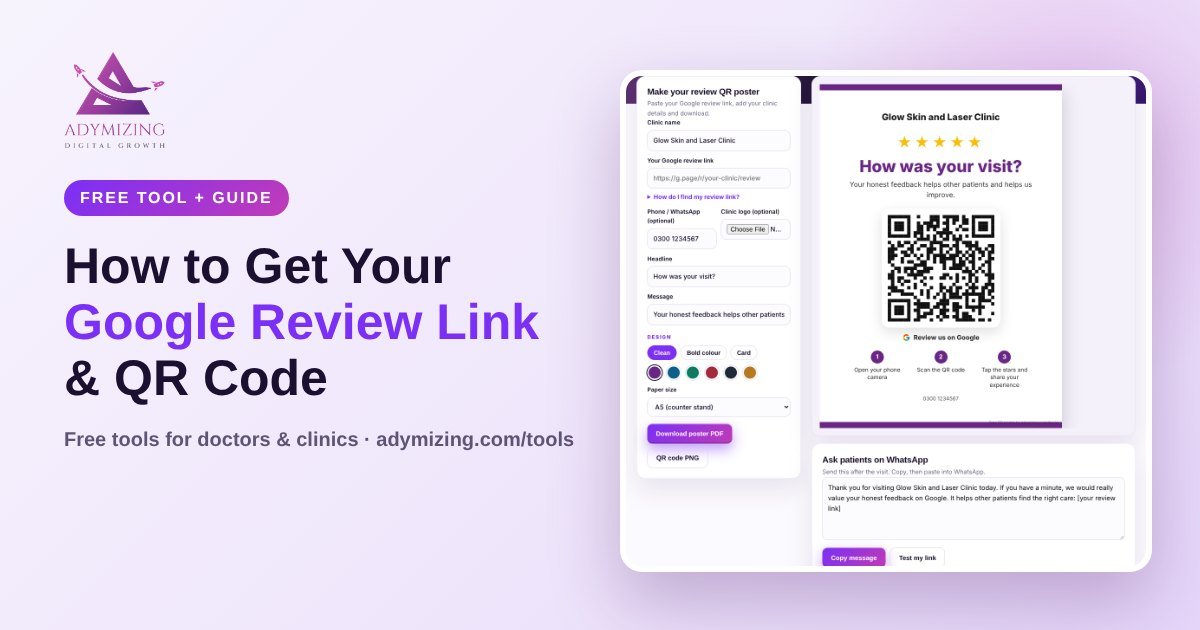
Most patients are happy to leave a review. They just do not want to search for your clinic, scroll, and find the review button. Your Google review link fixes that: one tap and the review box opens.
In this guide you will learn how to get your Google review link in under a minute, how to turn it into a Google review QR code, and where to use it so more patients actually leave a review.
What Is a Google Review Link?
A Google review link is a short web address that opens the “Write a review” box for your business directly. It usually looks like g.page/r/XXXX/review. You can share it on WhatsApp, SMS, email, your website, or print it as a QR code.
How to Get Your Google Review Link (Desktop or Phone)
- Sign in to the Google account that manages your clinic’s Business Profile.
- Search your clinic name on Google, or open Google Maps and tap your profile.
- Tap Ask for reviews (sometimes shown as Get more reviews or Share review form).
- Copy the link Google shows you.
- Test it: open it in a private browser window and check the review box opens.
If you do not see these options, your Business Profile may not be verified yet, or you are signed in with the wrong Google account. See our guide to Google Business Profile for doctors.
Using a Place ID instead
Developers and some tools use your Place ID (a code that starts with ChIJ). A review link can be made from it like this: https://search.google.com/local/writereview?placeid=YOUR_PLACE_ID. Our free tool builds this for you automatically.
Free tool
Google Review QR Code Generator
Paste your review link or Place ID and get a printable QR poster, a QR code PNG and a ready WhatsApp review request message.
Make my QR code →How to Make a Google Review QR Code
A QR code lets patients open your review link with their phone camera. No typing, no searching. To make one:
- Copy your Google review link (steps above).
- Paste it into our Google review QR code generator.
- Choose a design, add your clinic name and logo.
- Download the A4 or A5 poster as a PDF, or just the QR code as a PNG.
- Scan it yourself once before printing.
Where to Use Your Google Review QR Code
| Where | Format | Why it works |
|---|---|---|
| Reception counter | A5 poster in an acrylic Google review stand | Patients see it while paying, when they are most satisfied |
| Waiting area | A4 Google review sign on the wall | People have free time while waiting |
| With the prescription or invoice | Small Google review card | Goes home with the patient |
| WhatsApp after the visit | Review link + short message | Easiest for patients on their phone |
| Your website and email signature | Link button | Catches patients who visit later |
A Polite WhatsApp Review Request You Can Copy
Assalam o alaikum / Hi [Name], thank you for visiting [Clinic Name] today. If you were happy with your care, could you share a quick review on Google? It really helps other patients find us: [review link]. Thank you!
Send it the same day, after the visit. One reminder after a few days is fine. Do not send more than that.
Google Review Rules Every Clinic Must Follow
- Ask every patient, not only the happy ones. Choosing only happy patients (review gating) is against Google’s rules.
- No incentives. No discounts, gifts or free services for reviews.
- No fake reviews from staff, family or paid services.
- Protect privacy. When you reply, never confirm that someone is a patient or mention any medical detail.
Breaking these rules can get reviews removed or your profile restricted. For a full strategy, read how to get more Google reviews for your clinic.
Want reviews to grow on autopilot?
Our Clinic Patient Engine sends a polite WhatsApp review request after every visit, and keeps your Google Business Profile fully optimised.
Frequently Asked Questions
Where do I find my Google review link?
Sign in to the account that manages your Business Profile, search your clinic on Google or Maps, tap Ask for reviews and copy the link.
Is a Google review QR code free?
Yes. You can make one for free with our Google review QR code generator, and it never expires as long as your review link stays the same.
Can I give a discount for a Google review?
No. Google does not allow incentives for reviews. Ask every patient politely instead.
Why does my Google review link not work?
Usually the profile is not verified, the link was copied wrong, or it was made from a different account. Copy it again from Ask for reviews and test it in a private window.